
Ready to join your crew?
Ubeus is free to download on iPhone and Android. It takes about two minutes to set up and 60 seconds a day after that.


Joining a crew you’ve been invited to.
If someone sent you an invitation link — from your department, your team, or your family — follow these in order. The order matters.
Download the app
Install Ubeus from the App Store or Google Play using the badges above, or scan a QR code below.
Create your account
Open the app and sign up before doing anything with your invitation. The invite cannot attach to an account that does not exist yet.
Tap the invite link again
Reopen the message containing your invitation and tap the link a second time. Ubeus will open and add you to the crew automatically.
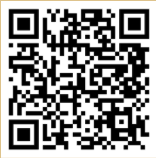 App Store
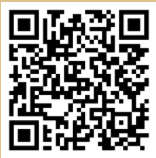 Google Play
Short videos for every part of the app.
Guided videos cover the whole product — signing up, the daily check-in, crews, chat, support resources, and the journal. Each one covers a single feature, and none is longer than about six minutes.
The short version.
Your crew can see
- How you are doing today — your current status
- The short note you choose to attach to a check-in
- Whether you have gone quiet for a while
Your crew cannot see
- Your check-in history or trend charts
- Your journal entries — those stay on your device unless you share them
- Anything at all if they are not in a crew with you
There is no public feed, no algorithm, and no way for a stranger to find you. Read the full privacy policy →